


Chrome Eggshell Buffer Side Locks Cover for Airpods 1 | 2
-
Estimated Delivery:Oct 26 - Oct 30
-
Fast Shipping & Returns T&C apply
Earphones are not included.
With a locking latch on both sides, it can protect your Airpods from loss and slipping. And you can hang it on a bag, purse and backpack with the Airpods case with keychain
No need to remove the Airpods case because there is a cutout for charging port. You can see the LED light while wired and wireless charging
SECURE LOCK CLIP: The security lock made of aluminum alloy material enhances protection which keeps the Air-Pods charging case closed well and secure the lid from falls at all times, only one press the button to open/close the cover. The portable metal carabiner allows you convenient to carry your Air-Pods anywhere.
The appearance of silicone is extremely silky and soft hard shell, and it feels great in your hands. The silicone protective case fits snugly on the Air-Pods and is not easy to drop
VISIBLE FRONT LED FULL PROTECTION: This 1.2 mm thick cover won’t affect wireless charging and is thin enough for your case’s status light to shine through. Easy check the LED indicator Easy access charging without remove the case.
Protect your AirPods 1 | 2 with this premium aluminum alloy case featuring dual locking latches on both sides. The secure lock clip keeps your charging case firmly closed and safeguards against accidental drops. A convenient metal carabiner lets you attach it to bags, purses, or backpacks for on-the-go portability. The thoughtfully designed cutout accommodates wireless and wired charging without removing the case, so you can monitor the LED indicator at all times. Simply press the button to open or close the cover with confidence. Built for durability and designed for those who demand reliable protection for their AirPods.
Experience premium protection with this silicone AirPods 1 | 2 case that combines a silky exterior with a hard shell interior for exceptional durability. The snug fit prevents accidental drops while maintaining a comfortable, tactile feel in your hands. At just 1.2mm thick, this protective cover delivers full safeguarding without compromising functionality. The transparent design allows your LED status light to remain fully visible, enabling you to monitor battery levels at a glance. Wireless charging works seamlessly without case removal, and accessing your charging port is effortless. Engineered for those who prioritize both protection and practicality.
Ensures a snug fit for your AirPods Pro, preventing accidental slips and keeping your earbuds securely in place.
| Condition | New |
| Available | In Stock |
| Seller | Ktusu |
| SKU | KTSUKRLDF |
| Compatiable Brand | Apple |
| Compatiable Device | Airpods |
| Compatiable Model | Apple Airpods 1 and Apple Airpods 2 |
| Category | Earbud & In-Ear Headphone Carrying Cases |
| Style | Premium and Designer |
| Colors / Patterns | Black, Blue Black, and Green Black |
| Bag & Case Material | Polycarbonate, Silicone, and Metal |

Chrome Eggshell Buffer Side Locks Cover for Airpods 1 | 2
Identify your airpods charging case
Find the model number
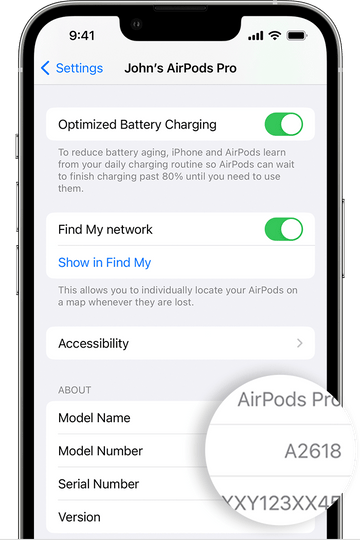
You can use the model number of your AirPods to find out which generation of AirPods you have.
Look in Settings
- Go to Settings > Bluetooth. Alternatively, you can go to Settings > [your AirPods].*
- Find your AirPods in the list (for example, "John's AirPods").
- Tap the More Info button next to your AirPods, and you'll see the model number.
* If your device doesn't have iOS 14 or iPadOS 14 or later and your AirPods are connected to your device, you can find the model number by going to Settings > General > About. Then scroll down until you see the name of your AirPods, and then tap the name.
Look on your AirPods
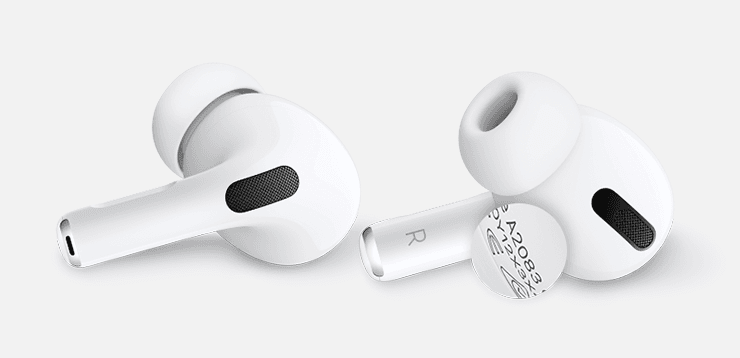
Airpods Pro
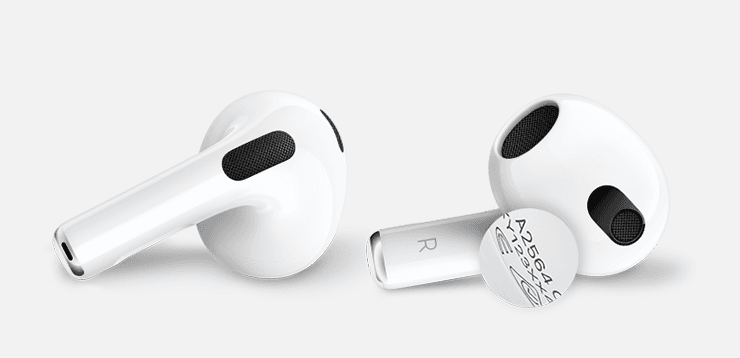
Airpods 3gen
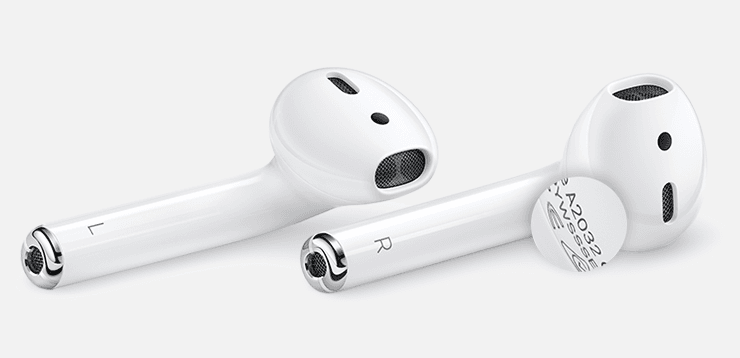
Airpods 1st and 2gen
Identify your AirPods with the model number
Now that you have the model number, you can use it to learn which AirPods you have
| Airpods Model Name | Year | Model Number |
|---|---|---|
| AirPods Pro (2nd generation) | 2022 | A2931,A2699,A2698 |
| AirPods (3rd generation) | 2021 | A2565, A2564 |
| AirPods Max | 2020 | A2096 |
| AirPods Pro | 2019 | A2084, A2083 |
| AirPods (2nd generation) | 2019 | A2032, A2031 |
| AirPods (1st generation) | 2017 | A1523, A1722 |
Identify your charging case
Find out which AirPods charging case you have by using the location of the status light and other details.
Model no: A2700 Year : 2022
AirPods Pro 2 MagSafe Charging Case
The MagSafe Charging Case for AirPods Pro (2nd generation)
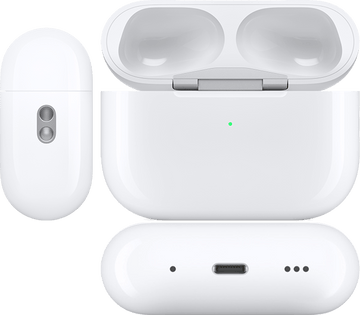
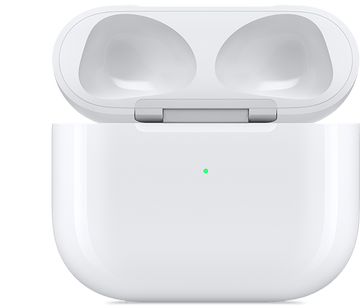
Model No: A2897 Year : 2022
AirPods 3 Lightning Charging Case
Model No: A2566 Year : 2021
AirPods 3 MagSafe Charging Case
The MagSafe Charging Case for AirPods (3rd generation)
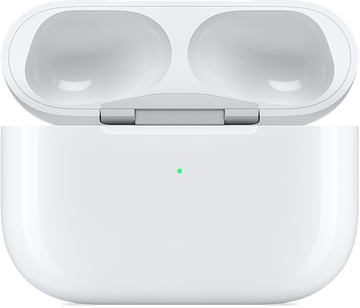
Model No: A2190 Year : 2021
AirPods Pro MagSafe Charging Case
The MagSafe Charging Case for AirPods Pro
Model no: A2190 Year : 2019
AirPods Pro Charging Case
The Charging Case works with AirPods Pro
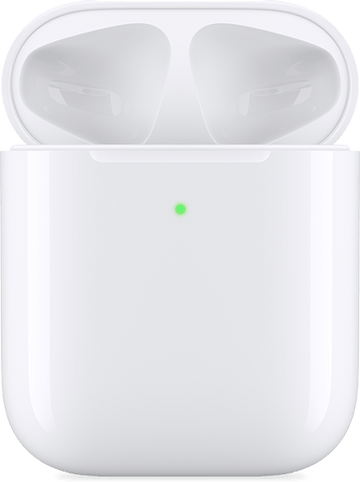
Model no: A1938 Year : 2019
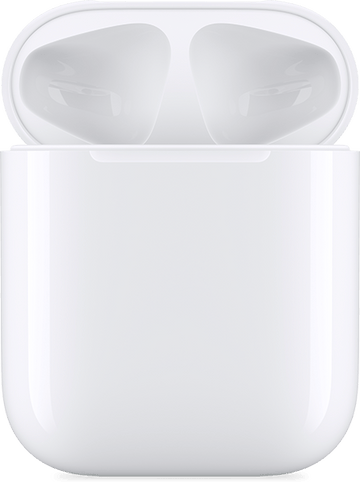
Airpods 2 Wireless Charging Case
Wireless charging case works with AirPods (2nd generation) and AirPods (1st generation)
Model no: A1602 Year : 2017
Airpods 1 Lightning Charging Case
Lightning charging case works with AirPods (2nd generation) and AirPods (1st generation)
Content Source info
All information given in this page for Identify your AirPods are taken by official airpods seller website, for more details about your airpods visit the link below
