


Radio Style Wireless Bluetooth Earphones Shockproof Protective Case for Airpods 4 | 4 ANC
-
Estimated Delivery:Sep 09 - Sep 13
-
Fast Shipping & Returns T&C apply
Earphones are not included.
Material: TPU
Small size, light weight, easy to carry.
Equipped with a lanyard, can be hung on a backpack or keychain, easy to carry.
Reserved charging port, no need to remove the headphone protective cover when charging.
Fully protect the device from normal scratches, dirt and wear.
Safeguard your Airpods 4 | 4 ANC with this durable TPU protective case featuring a retro radio-inspired design. The lightweight, compact form factor makes it effortless to slip into pockets or attach via the included lanyard to your backpack or keychain. The thoughtfully engineered design preserves access to the charging port, eliminating the need to remove the case during charging sessions. Built to shield your earbuds from everyday hazards including scratches, dust, and general wear, this case delivers reliable protection without compromising portability or accessibility.
Small size, light weight, easy to carry, Equipped with a lanyard, can be hung on a backpack or keychain, easy to carry.
| Condition | New |
| Available | In Stock |
| Seller | Ktusu |
| SKU | KTSUBQ7VK |
| Compatiable Brand | Apple |
| Compatiable Device | Airpods |
| Compatiable Model | Apple Airpods 4 and Airpods 4 ANC |
| Category | Earbud & In-Ear Headphone Carrying Cases |
| Style | Fancy, Designer, and Classic |
| Colors / Patterns | Black, Light Grey, Pink, Dark Grey, and Yellow |
| Bag & Case Material | Thermoplastic polyurethane (TPU) and Silicone |

Radio Style Wireless Bluetooth Earphones Shockproof Protective Case for Airpods 4 | 4 ANC
Identify your airpods charging case
Find the model number
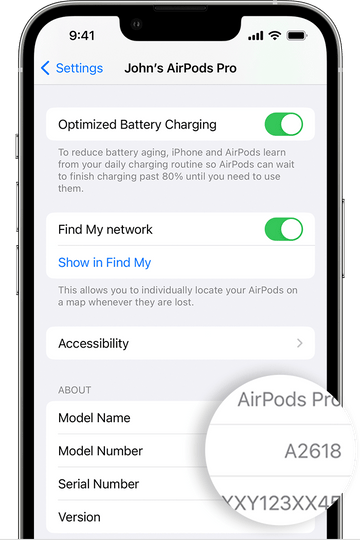
You can use the model number of your AirPods to find out which generation of AirPods you have.
Look in Settings
- Go to Settings > Bluetooth. Alternatively, you can go to Settings > [your AirPods].*
- Find your AirPods in the list (for example, "John's AirPods").
- Tap the More Info button next to your AirPods, and you'll see the model number.
* If your device doesn't have iOS 14 or iPadOS 14 or later and your AirPods are connected to your device, you can find the model number by going to Settings > General > About. Then scroll down until you see the name of your AirPods, and then tap the name.
Look on your AirPods
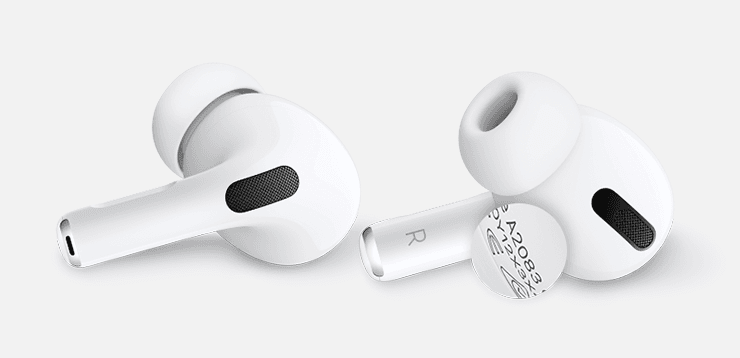
Airpods Pro
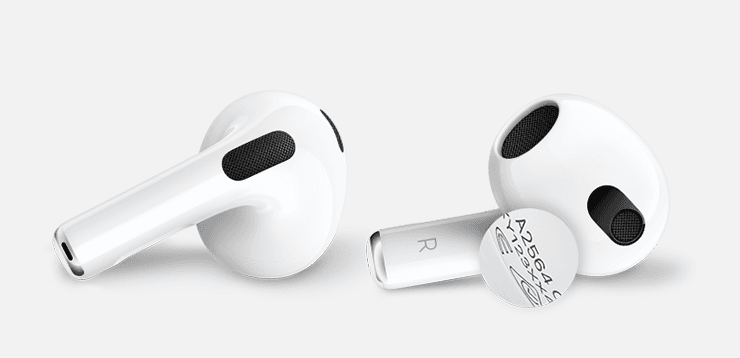
Airpods 3gen
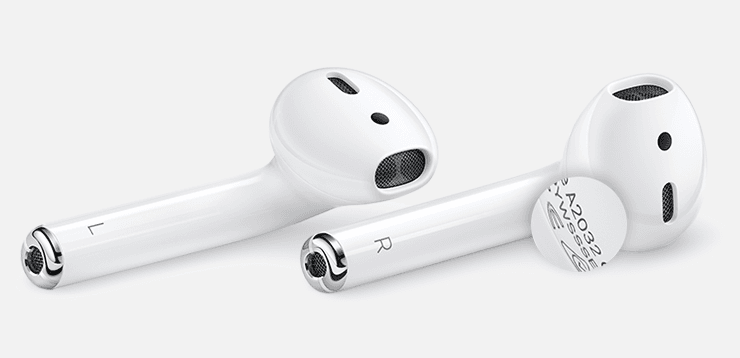
Airpods 1st and 2gen
Identify your AirPods with the model number
Now that you have the model number, you can use it to learn which AirPods you have
| Airpods Model Name | Year | Model Number |
|---|---|---|
| AirPods Pro (2nd generation) | 2022 | A2931,A2699,A2698 |
| AirPods (3rd generation) | 2021 | A2565, A2564 |
| AirPods Max | 2020 | A2096 |
| AirPods Pro | 2019 | A2084, A2083 |
| AirPods (2nd generation) | 2019 | A2032, A2031 |
| AirPods (1st generation) | 2017 | A1523, A1722 |
Identify your charging case
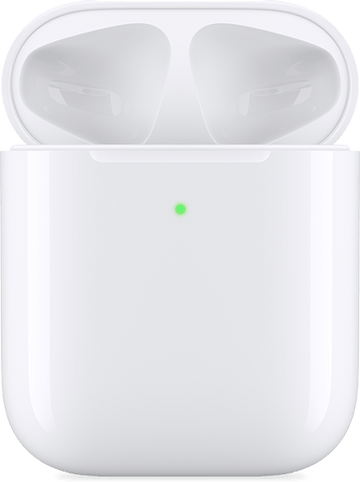
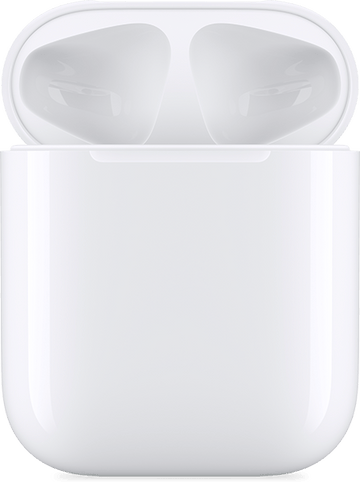
Find out which AirPods charging case you have by using the location of the status light and other details.
Model no: A2700 Year : 2022
AirPods Pro 2 MagSafe Charging Case
The MagSafe Charging Case for AirPods Pro (2nd generation)
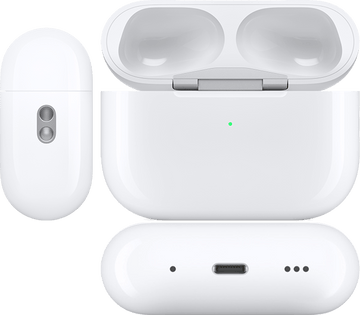
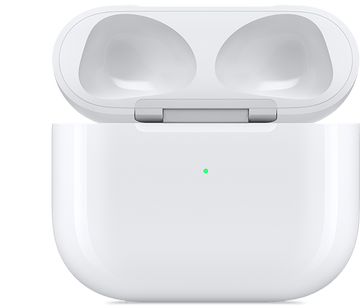
Model No: A2897 Year : 2022
AirPods 3 Lightning Charging Case
Model No: A2566 Year : 2021
AirPods 3 MagSafe Charging Case
The MagSafe Charging Case for AirPods (3rd generation)
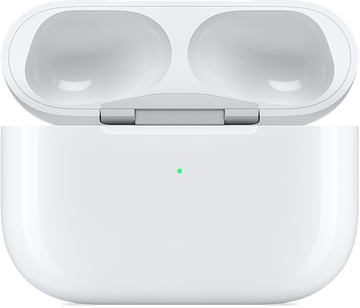
Model No: A2190 Year : 2021
AirPods Pro MagSafe Charging Case
The MagSafe Charging Case for AirPods Pro
Model no: A2190 Year : 2019
AirPods Pro Charging Case
The Charging Case works with AirPods Pro
Model no: A1938 Year : 2019
Airpods 2 Wireless Charging Case
Wireless charging case works with AirPods (2nd generation) and AirPods (1st generation)
Model no: A1602 Year : 2017
Airpods 1 Lightning Charging Case
Lightning charging case works with AirPods (2nd generation) and AirPods (1st generation)
Content Source info
All information given in this page for Identify your AirPods are taken by official airpods seller website, for more details about your airpods visit the link below
